
Ingredient list
Record ingredients by unit, quantity and cost for each location.
Stock and recipes
Track ingredients, recipes, deliveries and waste per location. Usage is recorded when counter or QR payment is confirmed, or when staff send a table round.
+ MKD 999 per location, per month
What you can manage
Stock & Recipes is an optional add-on per location on Core, Flow and Pro.
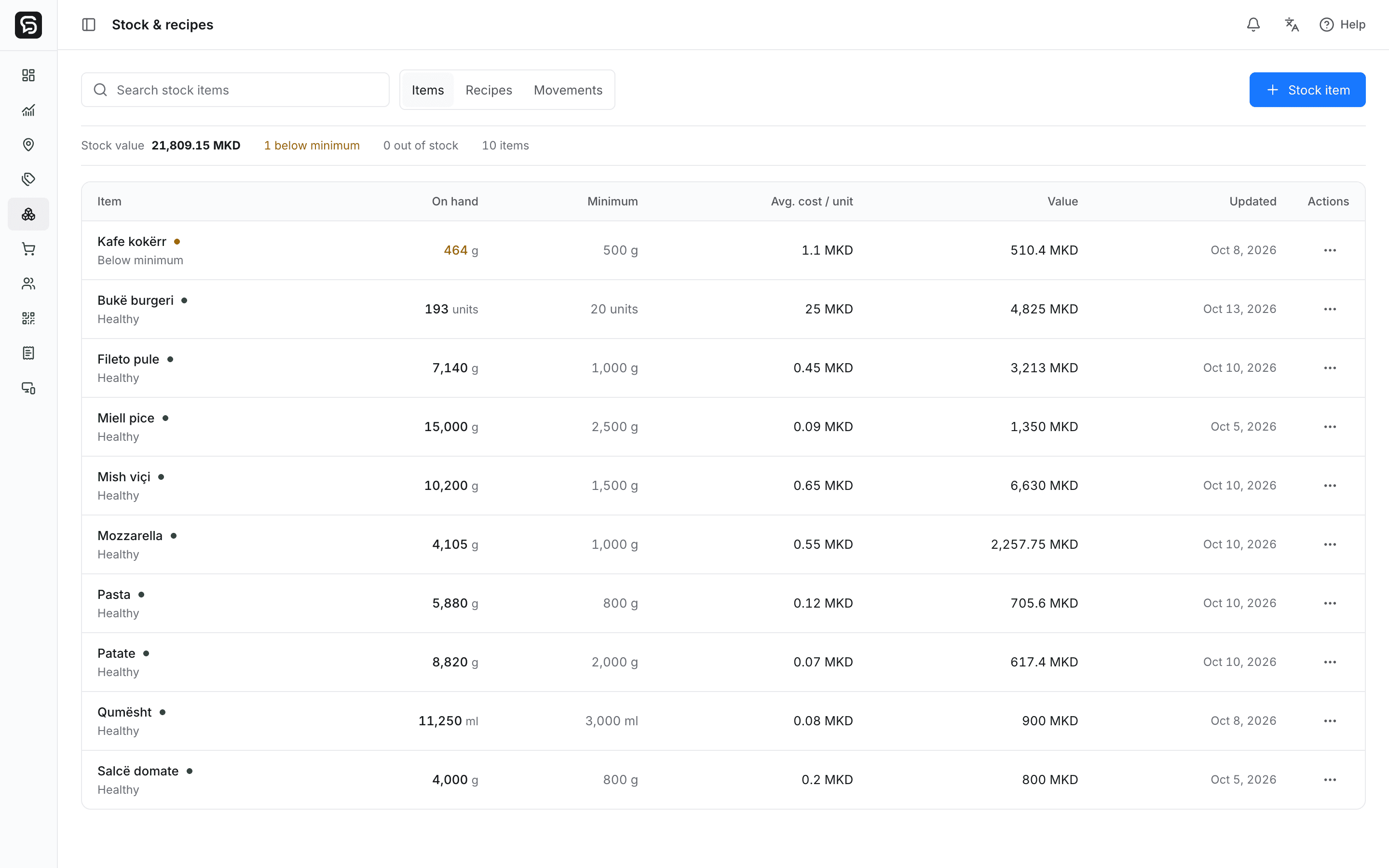
Record ingredients by unit, quantity and cost for each location.
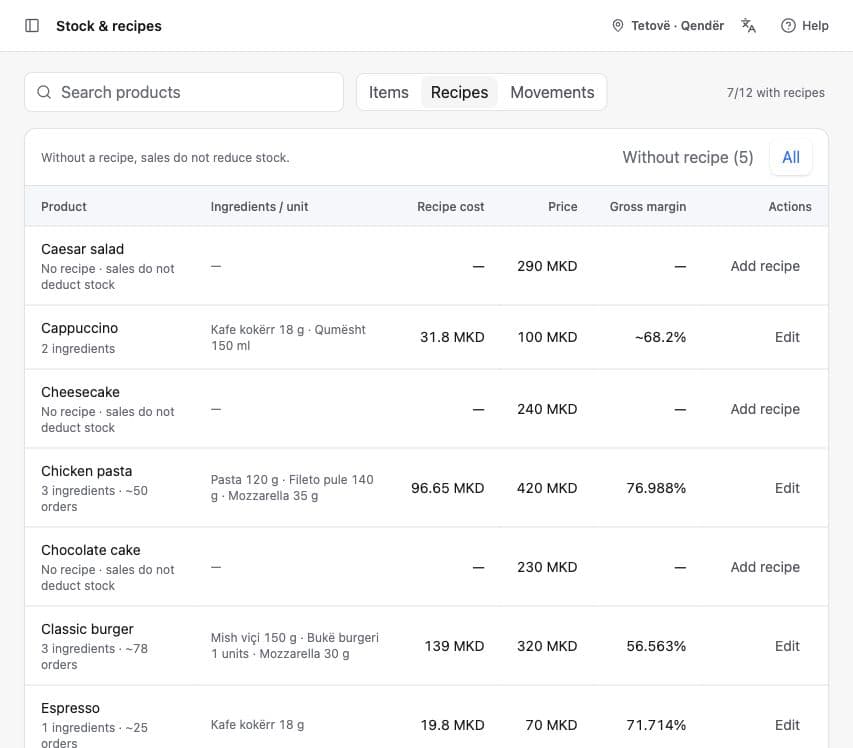
Link one or more ingredients and amounts to menu products.
Add incoming stock, count what remains and record waste with a reason.
Set a minimum level and see which ingredients need attention.
Review stock changes from sales and manual adjustments.
See an estimate based on recorded quantities and unit costs.
See ingredients at or below their minimum. Enable location-specific phone notifications on supported devices, with notification permission. These low-stock notifications remain independent of the Activity Alerts add-on and its allowance.
Recipes in the product
Review ingredient quantities, recipe cost and products still missing a recipe. Combine expected usage with deliveries, waste and physical counts to understand stock.
How stock changes
Menu
The product is linked to a saved recipe.
Recipe
Set how much of each ingredient one product uses.
Usage
Ingredients are deducted on counter/QR payment confirmation or when staff send a table round.
Getting started
You do not need to map the whole storeroom at once. Begin with a few products and their recipes, then expand as your team works.
Connect purchasingEnter the current quantity, unit, minimum level and unit cost.
Choose the ingredients and amounts used by a menu product.
Ingredients are deducted on counter/QR payment confirmation or when staff send a table round.
Receive deliveries, count stock and record waste to keep quantities useful.
Stock figures depend on the quantities and recipes your team enters; physical counts remain part of the process.
Rendo guides
Connect menu sales to ingredient usage, deliveries, waste and physical counts—with a worked recipe example and a practical setup checklist.
Set useful ingredient minimums, understand when alerts trigger, and connect a low-stock warning to receiving and purchasing.
Keep supplier orders, partial deliveries, actual quantities and ingredient costs connected without confusing purchasing with accounting.
Stock & Recipes is an optional add-on per location on Core, Flow and Pro.