
01
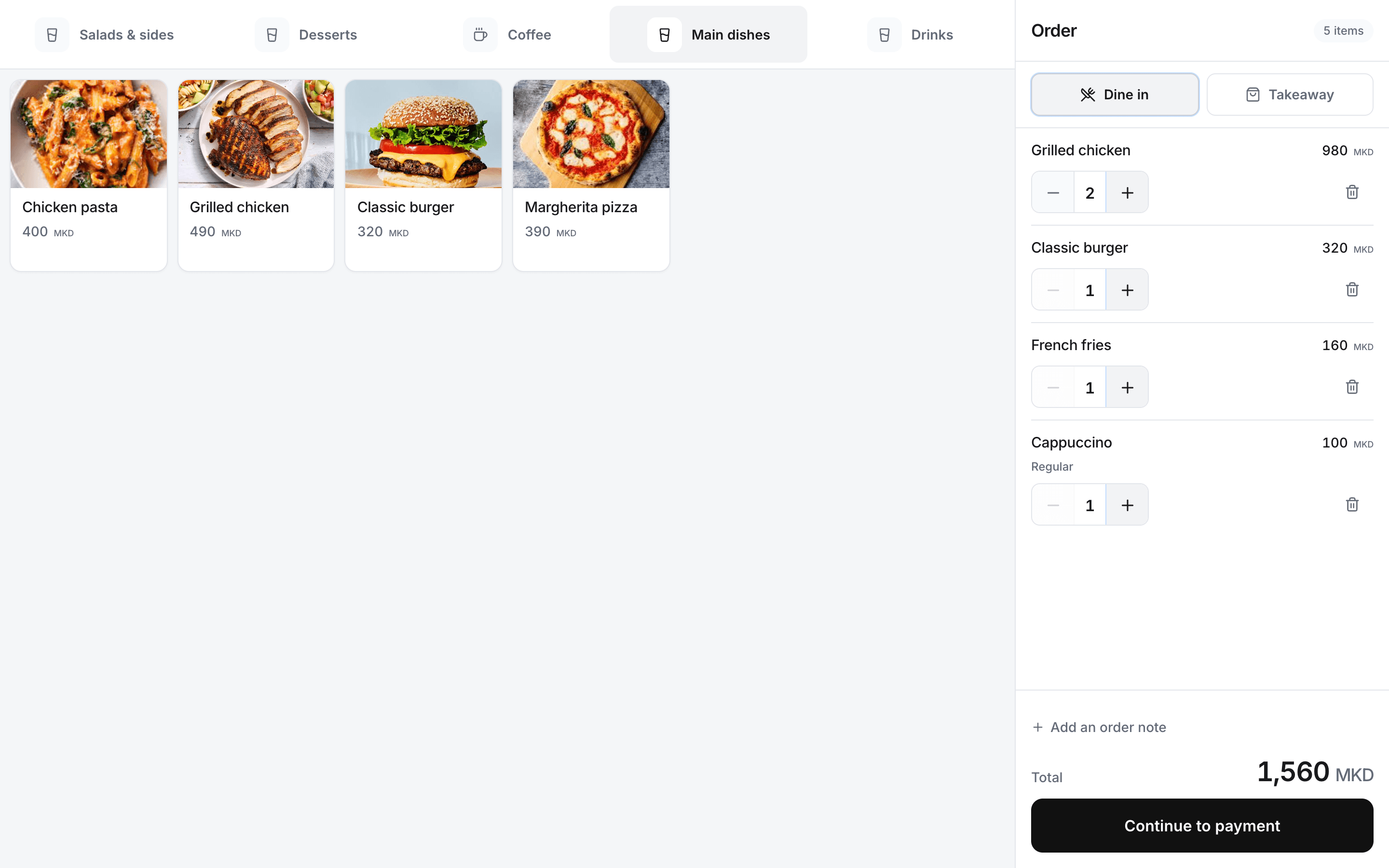
Find the right product
Browse categories and common items from the register.
Rendo for cafés
Choose products and options, take payment and keep the shift easy to close. Add bar or kitchen printing with Flow or Pro, and check the day’s sales from your phone.
At the busy counter
Sizes, extras and preparation notes should reach the team together. Give the cashier a clear order and a clear payment record.
01
Browse categories and common items from the register.
02
Select configured sizes and extras, and attach preparation notes to the item.
03
Flow and Pro send paid counter orders to configured preparation stations and printers.
04
Review sales, cash and card totals, movements, counted cash and any difference.
05
Review location sales, collected payments and shift records.
From the till to the bar
Configure the menu and printers around how your café actually serves.
Find the drink or food item.
Select the configured size, extras and notes.
Confirm payment at the counter.
Send the paid order to the bar or kitchen on Flow or Pro.
Setup with your team
We help prepare drinks, sizes, extras and staff access, then test the till and supported printers with your team.
Rendo guides
Choose a counter-service POS around rush-hour orders, kitchen/bar routing, pickup, ingredient usage and shift reconciliation.
Compare the full cost of restaurant POS software: subscriptions, setup, printers, fiscal equipment, stock tools and extra locations.
Practical answers before you choose your setup.
Core covers counter orders, payments, receipts, shifts and up to 20 staff-managed tables. QR ordering and kitchen or bar stations need Flow or Pro.
Flow and Pro support configured kitchen and bar stations. Printer quantities and routing follow the selected plan and tested setup.
Stock & Recipes is an optional add-on. Link products to ingredient quantities to track recipe use and minimum stock levels.
Show us your menu, bar printer and cash-close routine. We’ll walk through them with your team.