One menu
The products and availability you manage in Rendo appear to guests.
QR ordering
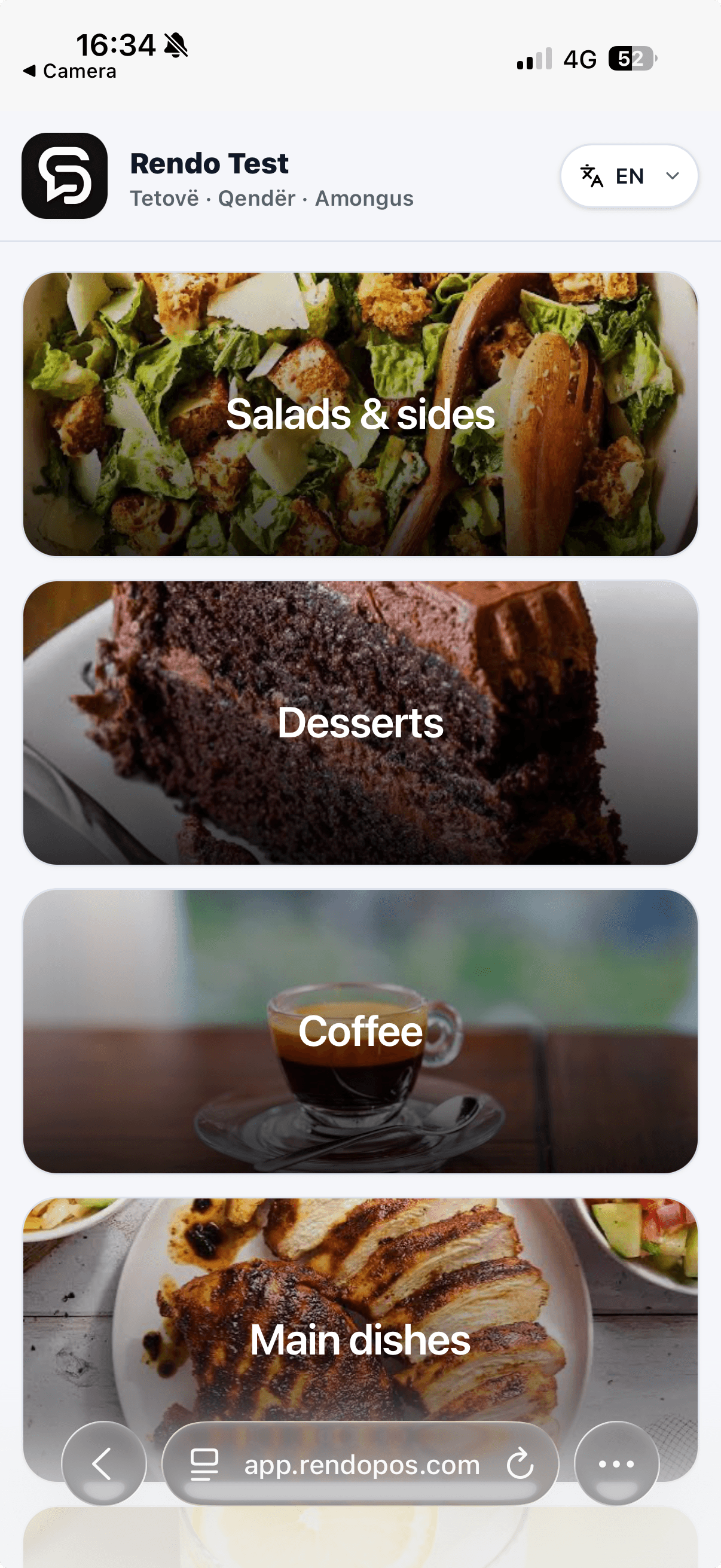
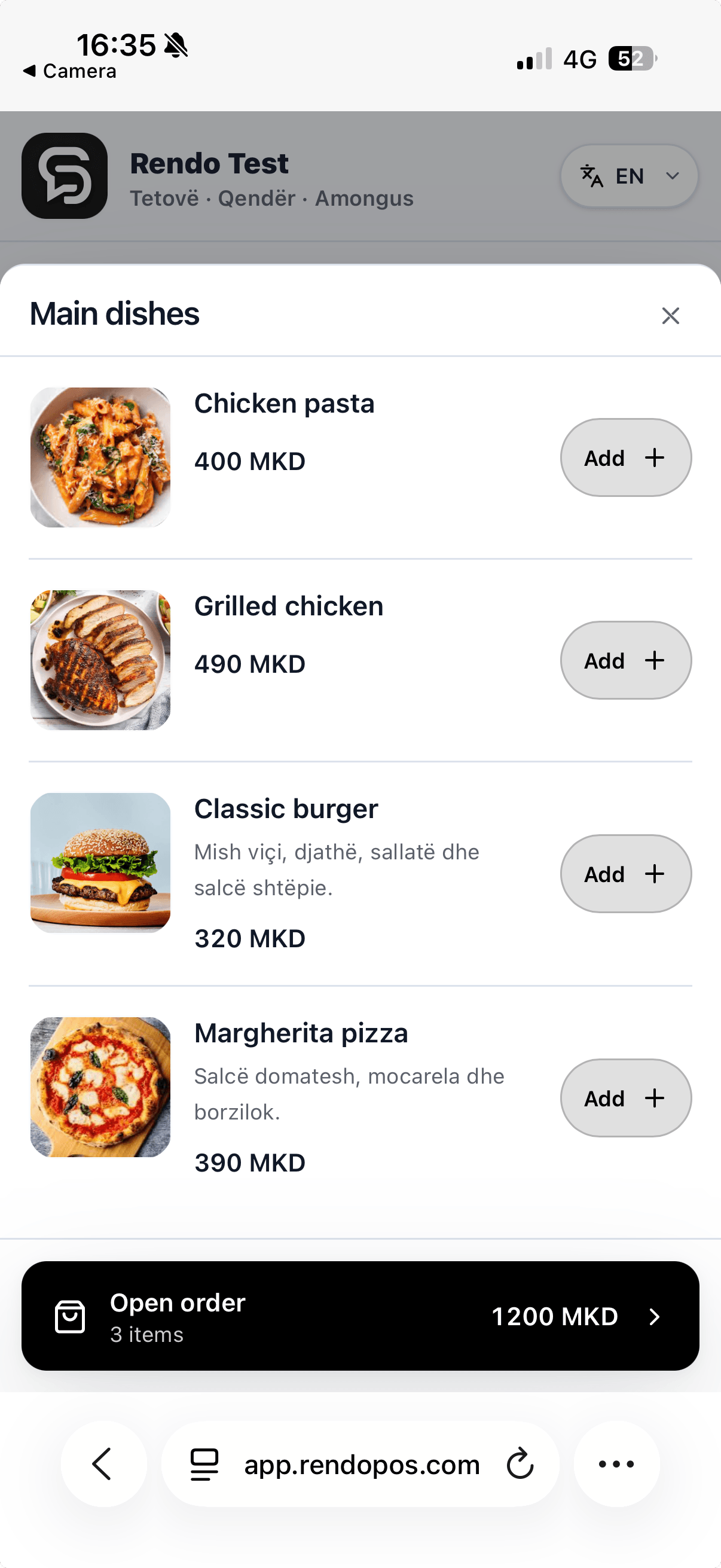
Guests scan, choose from your live menu and send an order from their phone. Your cashier confirms payment before the kitchen or bar starts preparing it.
QR pickup and table ordering are included in Flow and Pro after the relevant setup.
From phone to preparation
The guest order follows the same steps your team already uses.
Guests open the current menu on their phone and select what they want.
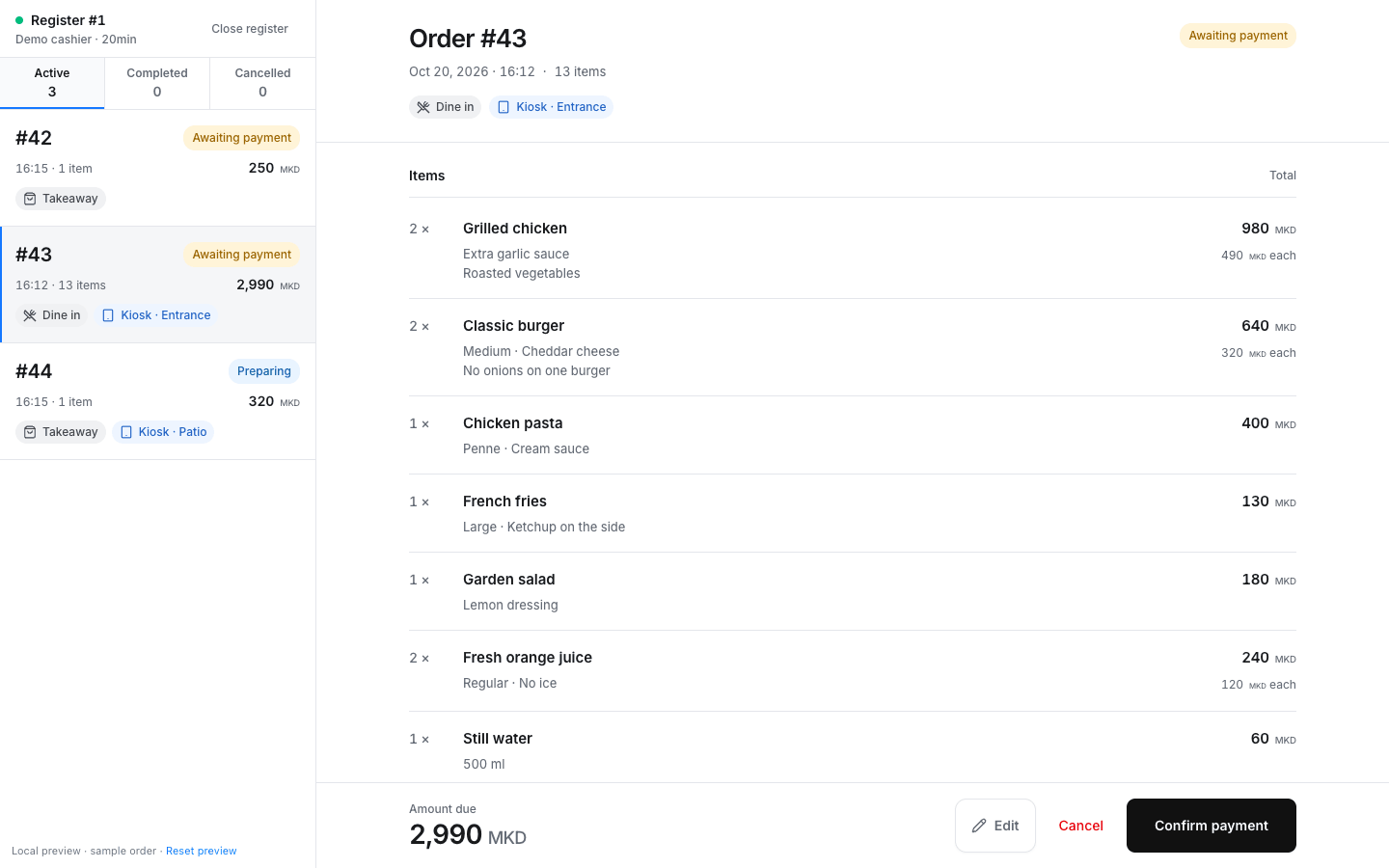
The order appears in Rendo with its items and source.
Staff confirm payment before the order enters preparation.
The right team sees the items and marks them ready for pickup or service.
From guest to kitchen
See the items, extras and payment status together.
The products and availability you manage in Rendo appear to guests.
Your team handles payment and order changes at the cashier.
After the cashier confirms payment, the order goes to the kitchen or bar you have set up.
Staff can see what is waiting, being made and ready.
You stay in control
Use QR ordering for pickup, counter or table service with Flow or Pro and the right venue setup.
Practical answers before you choose your setup.
No. Guests scan the venue’s QR code and open the menu in their phone browser.
QR pickup and table ordering are included in Flow and Pro. Core covers staff-entered orders and manual tables.
The guest pays at the counter and the cashier confirms payment before preparation. The menu shows products available at that location.