
01
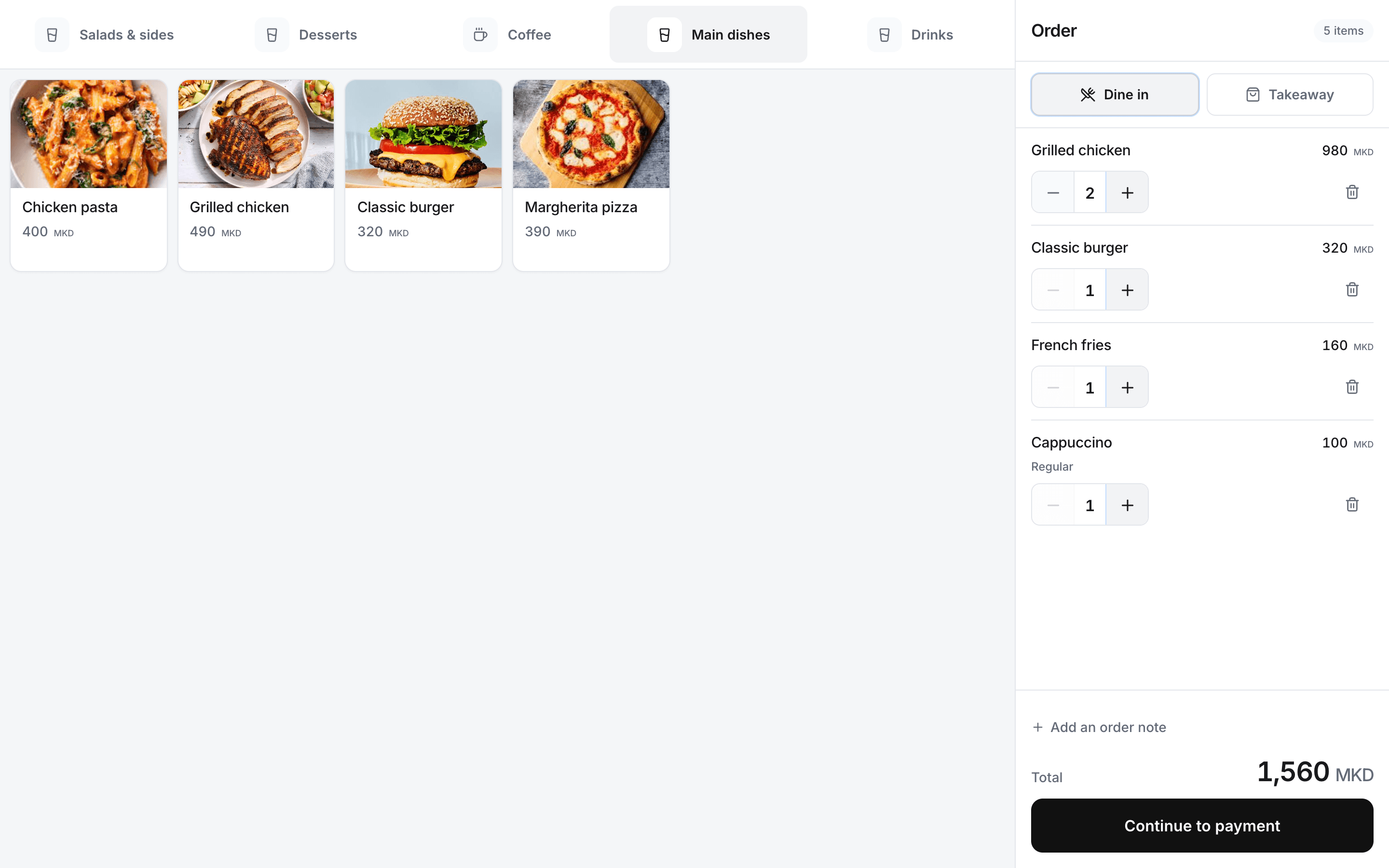
Take the order at the counter
Find products, choose configured options and keep preparation notes with each item.
Rendo for fast food
Take orders, add sizes and extras, record payment and print kitchen tickets. Offer QR or kiosk ordering when it fits your venue, and check sales across your locations.
During the rush
Keep products, options and order numbers together from the counter to the kitchen. The team can follow preparation and pickup without retyping the order.
01
Find products, choose configured options and keep preparation notes with each item.
02
Flow and Pro route paid counter orders to the configured kitchen or bar stations and printers.
03
Use the order number and preparation status to keep pickup clear for staff and guests.
04
Use QR ordering on Flow or Pro, or add a separately licensed Rendo Kiosk. Kiosk guests pay at the counter.
Explore Rendo Kiosk05
Review location sales, collected payments and shift records.
From order to pickup
Your cashier confirms payment; the kitchen prepares the order and staff complete the handover.
Choose products, options and quantities.
Record the payment at the counter.
Send paid items to the configured stations on Flow or Pro.
Use the order number to give the right order to the guest.
Setup with your team
We help add products, sizes and extras, then set up cashier use and the kitchen printers included in your plan. Your team tests an order before launch.
Rendo guides
Choose a counter-service POS around rush-hour orders, kitchen/bar routing, pickup, ingredient usage and shift reconciliation.
Compare the full cost of restaurant POS software: subscriptions, setup, printers, fiscal equipment, stock tools and extra locations.
Practical answers before you choose your setup.
Yes. Set up your product options in the menu and keep the selected options and notes with each order.
Flow and Pro include preparation stations, station printing and pickup displays within their device limits.
You can add Rendo Kiosk for 999 MKD per kiosk per month, or 9,990 MKD per year. Hardware is quoted separately; guests pay at the counter.
Yes. We review your current menu, equipment and available exports, then agree what can be transferred or entered in Rendo. Compatibility depends on the old system and file format. Historical sales, fiscal and accounting records are not automatically transferred; complex work is assessed and quoted separately.
Bring your menu, printer setup and branch count. We’ll show the complete counter-to-pickup flow.