
01
Take table and counter orders
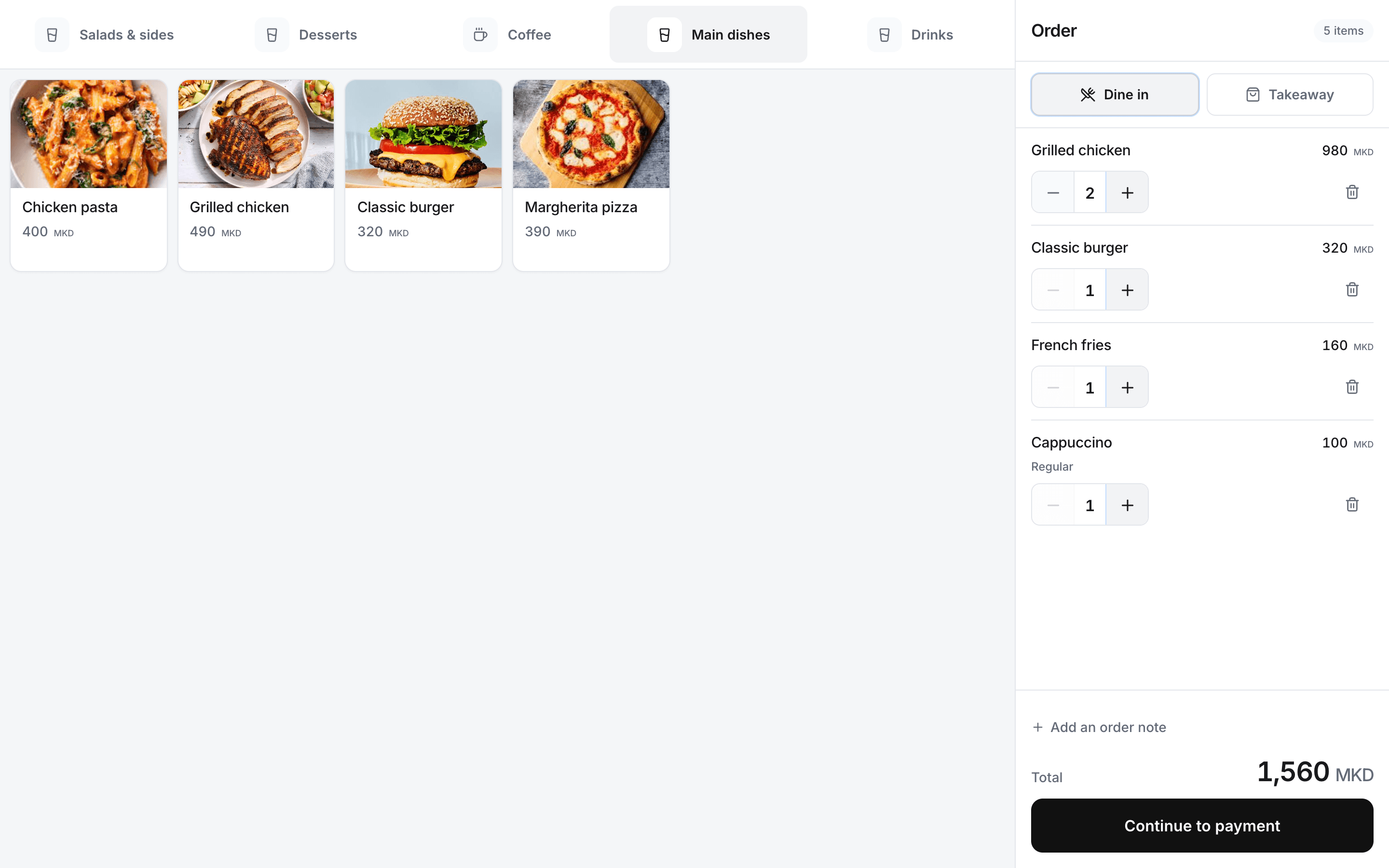
Open a table, add another round or start a counter order from the register.
Rendo for restaurants
Open tables, add rounds and settle bills in one place. Send staff-submitted rounds to kitchen or bar stations with Flow or Pro, and check the day’s sales from your phone.
During table service
Staff need to see what was ordered, what has been sent and what remains to be paid. Rendo keeps those details with the table’s order.
01
Open a table, add another round or start a counter order from the register.
02
With Flow or Pro, send staff-entered table rounds to the kitchen or bar before the bill is settled. Paid counter orders route after payment.
03
Stock & Recipes is an optional add-on for ingredients, recipe use and low-stock alerts.
04
Review sales, cash and card totals, cash movements, counted cash and differences.
05
Review the location’s sales and shifts, and manage its menu and team.
06
Set up menus, staff and devices, then rehearse orders, printing and shift close before go-live.
From table to cash close
Table rounds can go to preparation before payment; counter orders route after payment.
Keep the order attached to the table being served.
Pass the submitted round to kitchen or bar on Flow or Pro.
Record payment and review the remaining balance.
Check the sales and cash record with your team.
Explore the workflow
Follow the restaurant flow from guest order to preparation, stock and management across locations.
Setup with your team
We help prepare your menu, tables and staff access, then test orders, kitchen or bar printing and payment with your team.
Rendo guides
Choosing a POS for a self-service venue in North Macedonia? Compare seven systems, QR ordering, kitchen printing, owner reports, setup and total cost.
Plan menus, staff access, open bills, stock and printers before your first shift on a new restaurant POS. Includes a practical changeover checklist.
Practical answers before you choose your setup.
Yes. Staff can open a table, add ordering rounds and settle the bill. Core includes 20 staff-managed tables; Flow and Pro include up to 80.
On Flow and Pro, staff send table rounds before the bill is settled. Counter orders reach preparation after payment is confirmed.
We prepare the menu, staff access and devices, then test orders, printing, payments and shift close before launch.
Yes. We review your current menu, equipment and available exports, then agree what can be transferred or entered in Rendo. Compatibility depends on the old system and file format. Historical sales, fiscal and accounting records are not automatically transferred; complex work is assessed and quoted separately.
Bring your menu and describe how staff take rounds, send kitchen tickets and settle bills.