
01
Order from a phone
Guests scan the location’s QR menu and choose available products. QR ordering is included in Flow and Pro.
Rendo for self-service
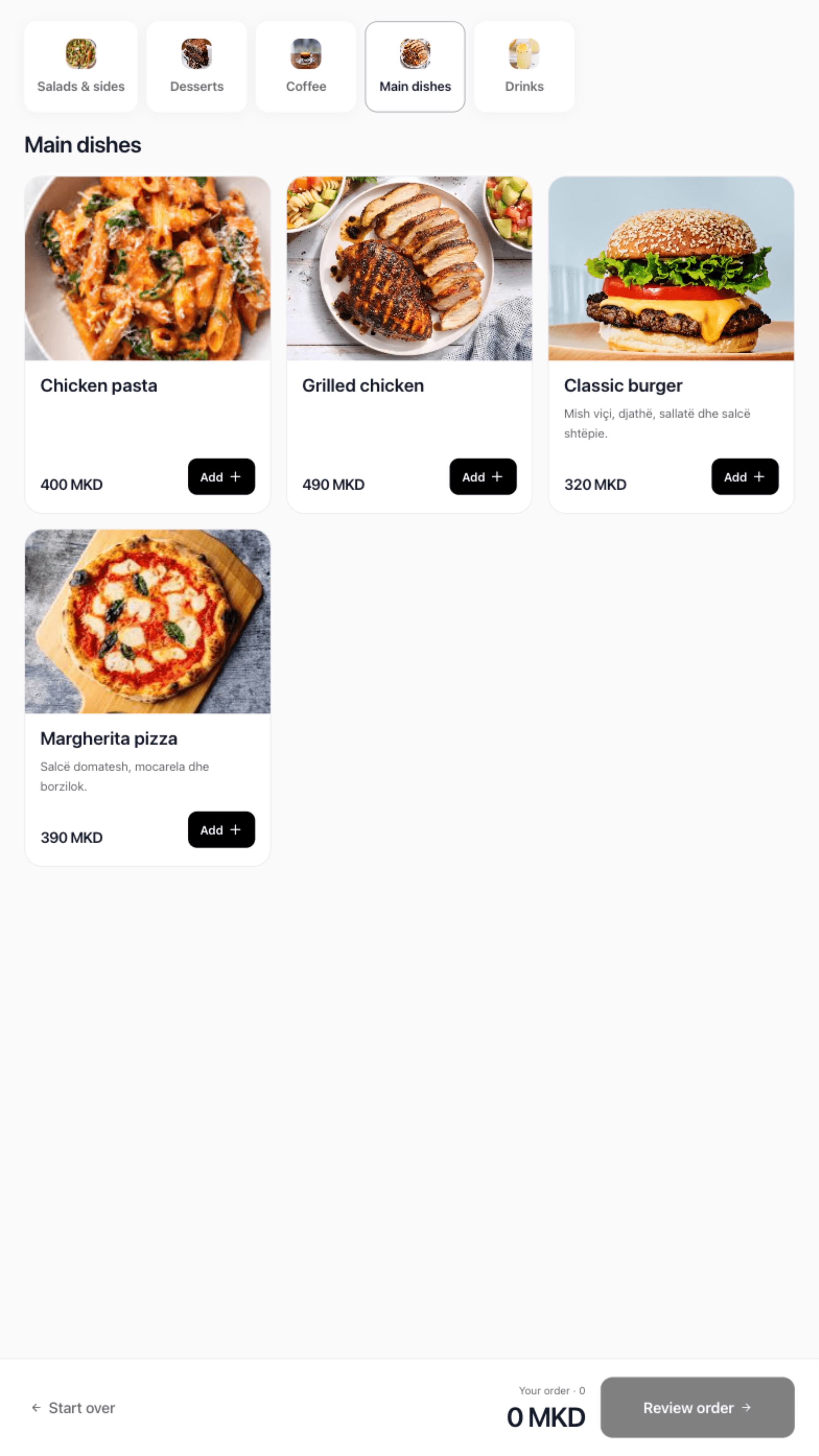
Offer a QR menu on guests’ phones or a touchscreen kiosk in your venue. Guests build their order and pay at the counter; your team stays in charge of payment and preparation.
Phone or touchscreen
Choose the ordering method that fits the space and the guests. QR ordering and kiosks have different licences; both keep the cashier in the payment process.
01
Guests scan the location’s QR menu and choose available products. QR ordering is included in Flow and Pro.
02
Guests choose dine-in or takeaway and use your configured product options. Rendo Kiosk is a separate licence per screen.
Explore Rendo Kiosk03
The guest brings the order number to the cashier. Preparation follows confirmed payment.
04
Use Flow or Pro for kitchen and bar printers, preparation screens and pickup displays. The number of devices follows your plan.
05
Review location sales, collected payments and shift records.
The guest journey
Walk through the complete journey on the actual device before opening.
Scan the QR code or use the kiosk touchscreen.
Choose products, quantities and configured options.
Show the order number and let the cashier confirm payment.
Your team prepares the paid order and completes pickup.
Setup with your team
We set up your menu and options, check supported devices and test the path from guest order to cashier payment and preparation.
Rendo guides
Planning a self-ordering kiosk for a café or fast-food venue? Compare software fees, touchscreen setup, counter payment and kitchen requirements.
Choose a counter-service POS around rush-hour orders, kitchen/bar routing, pickup, ingredient usage and shift reconciliation.
Practical answers before you choose your setup.
With QR, guests use their own phone. A kiosk provides a touchscreen in your venue, with dine-in or takeaway and menu languages.
Guests take the order number to the cashier. Preparation starts after payment is confirmed; integrated kiosk card acceptance is not included.
No. Preparation stations, printers and pickup displays follow the chosen Core, Flow or Pro plan. QR ordering is included in Flow and Pro.
No. Share your products, prices, sizes, extras and available photos. We help prepare your menu and relevant settings, then train your team as part of the agreed setup.
Try the QR journey and kiosk screens, then review counter payment, device placement and kitchen setup.