
Owner access
Cloud restaurant POS: check reports from your phone
What remote access changes for restaurant owners, what to check in a demo, and where an installable web app still needs internet.
In this guide
What changes when reports are online?
A POS that records orders can still leave the owner with a practical problem: the reports may only be accessible on the computer installed at the venue. Reviewing yesterday’s shift then means visiting the restaurant, asking someone for a screenshot or arranging remote access to that PC.
With an online owner dashboard, the place where staff take orders is separate from the place where you review the business. This matters when you are buying supplies, away from the venue or responsible for more than one branch. It also makes the owner’s own device part of the buying decision.
What should you be able to review?
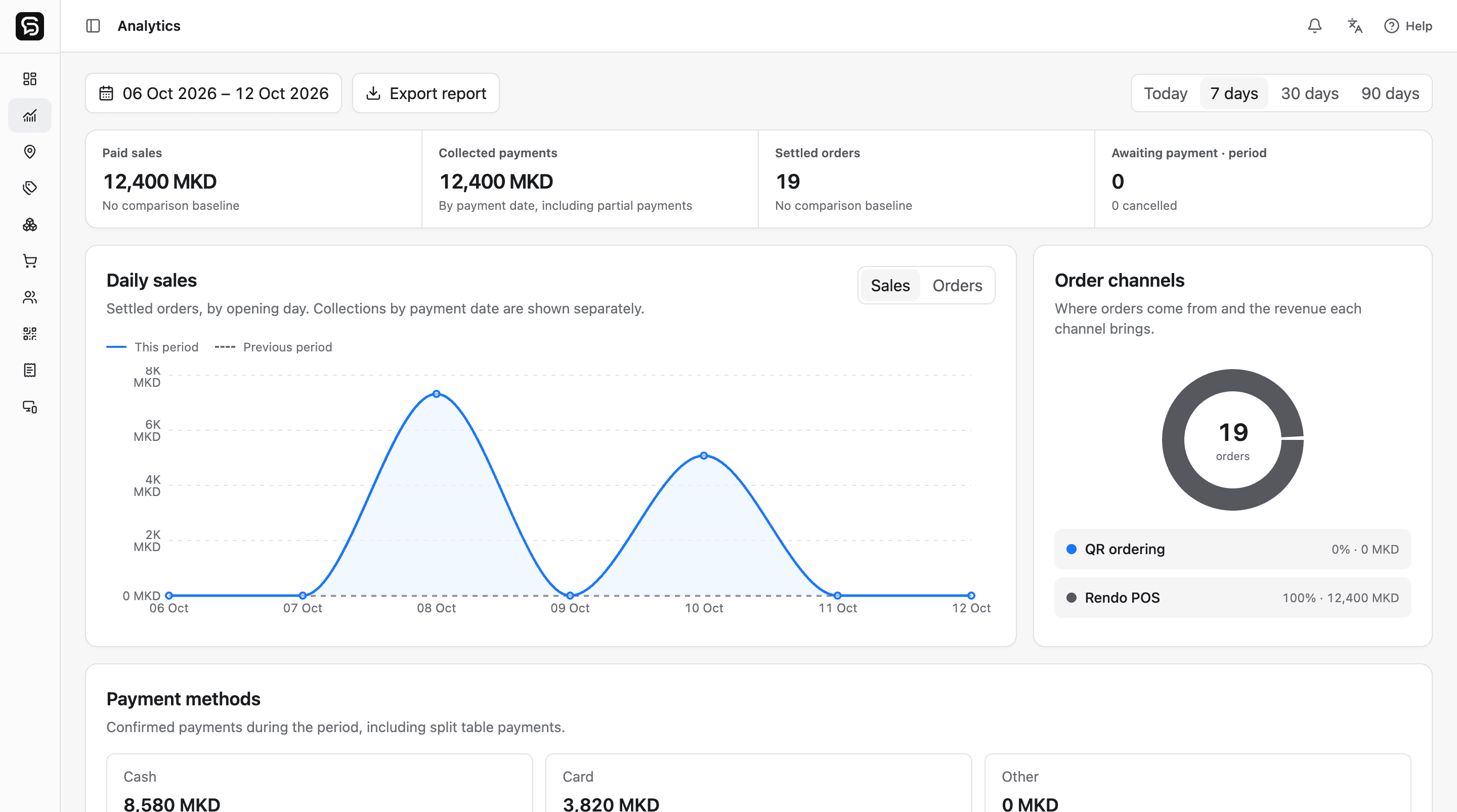
Ask for a demonstration using a location and a completed shift, rather than judging the dashboard by a chart alone. In Rendo, standard and detailed analytics depend on the plan. Stock & Recipes and Purchasing are optional location add-ons, so decide which records you need before comparing quotes.
- Recorded sales and collected payments: check what each number means, especially for tables that still have an unpaid balance.
- Shift records: review the activity and cash movements belonging to the shift you select.
- Menu and team management: check that your account has the appropriate access to update products and staff permissions.
- Location context: switch branches and confirm that each branch keeps its own operational records.
A phone app does not need to be a separate system
Rendo’s owner dashboard is an installable web app. On supported browsers you can add it to your Home Screen and open it directly. You still sign in with an authorized owner or administrator account, then choose the location you want to manage.
Installation and push notifications depend on the device and browser. On iPhone and iPad, supported web push requires a Home Screen installation and notification permission. The Stock & Recipes add-on provides location-specific low-stock alerts; enabling the app does not automatically turn those alerts on.
Reports and activity notifications serve different needs
Use the dashboard when you want to review sales, payments and shifts. If you also want phone notifications about recorded transactions and staff activity, Rendo Activity Alerts is an optional add-on from 299 MKD per location per month, available with Core, Flow or Pro.
Owners and authorized location managers choose the location and events to follow after Rendo enables access. A notification can open the relevant order or shift after sign-in and an access check. Delivery depends on the browser, device, permissions and connection. Low-stock alerts stay part of Stock & Recipes and do not use the Activity Alerts allowance.
What happens without internet?
Remote access needs a connection. The owner dashboard fetches current reports online and does not promise an offline copy of all administrative records. Cashier order queuing, payment confirmation, table service, printing and stock updates have different connectivity requirements. Rehearse your venue’s exact outage scenario before switching.
A useful demo checklist
- Open the dashboard on your own phone, not only on the salesperson’s laptop.
- Find a completed shift and ask how recorded sales differ from money already collected.
- Check a menu change and which staff roles are allowed to make it.
- If stock matters, review a low-stock ingredient and the notification settings for that location.
- Discuss menu preparation, devices, imports and the first live shift before agreeing on the changeover.
Compare the whole setup
The subscription is one part of the decision. Match the same service model, register capacity, preparation stations, stock tools and installation scope. Rendo’s North Macedonia pricing is shown in MKD regardless of the website language. Hardware and implementation are separate.
See the workflow in your own context.
Bring your menu, device list and service questions. We’ll walk through the right setup for your venue.
Written by the team building Rendo. Worked examples are illustrative; your installation scope and device acceptance are agreed for your venue.
Keep reading
Low-stock alerts for restaurants: thresholds and phone notifications
Set useful ingredient minimums, understand when alerts trigger, and connect a low-stock warning to receiving and purchasing.
How to switch a restaurant POS without disrupting service
Plan menus, staff access, open bills, stock and printers before your first shift on a new restaurant POS. Includes a practical changeover checklist.